Service design · M.Des project
Helping stuck gamers find just enough help, without the spoilers.
- Type
- M.Des service design project
- Year
- 2026
- Platform
- PC desktop app
- Methods
- Player interviews, competitor review, service blueprint
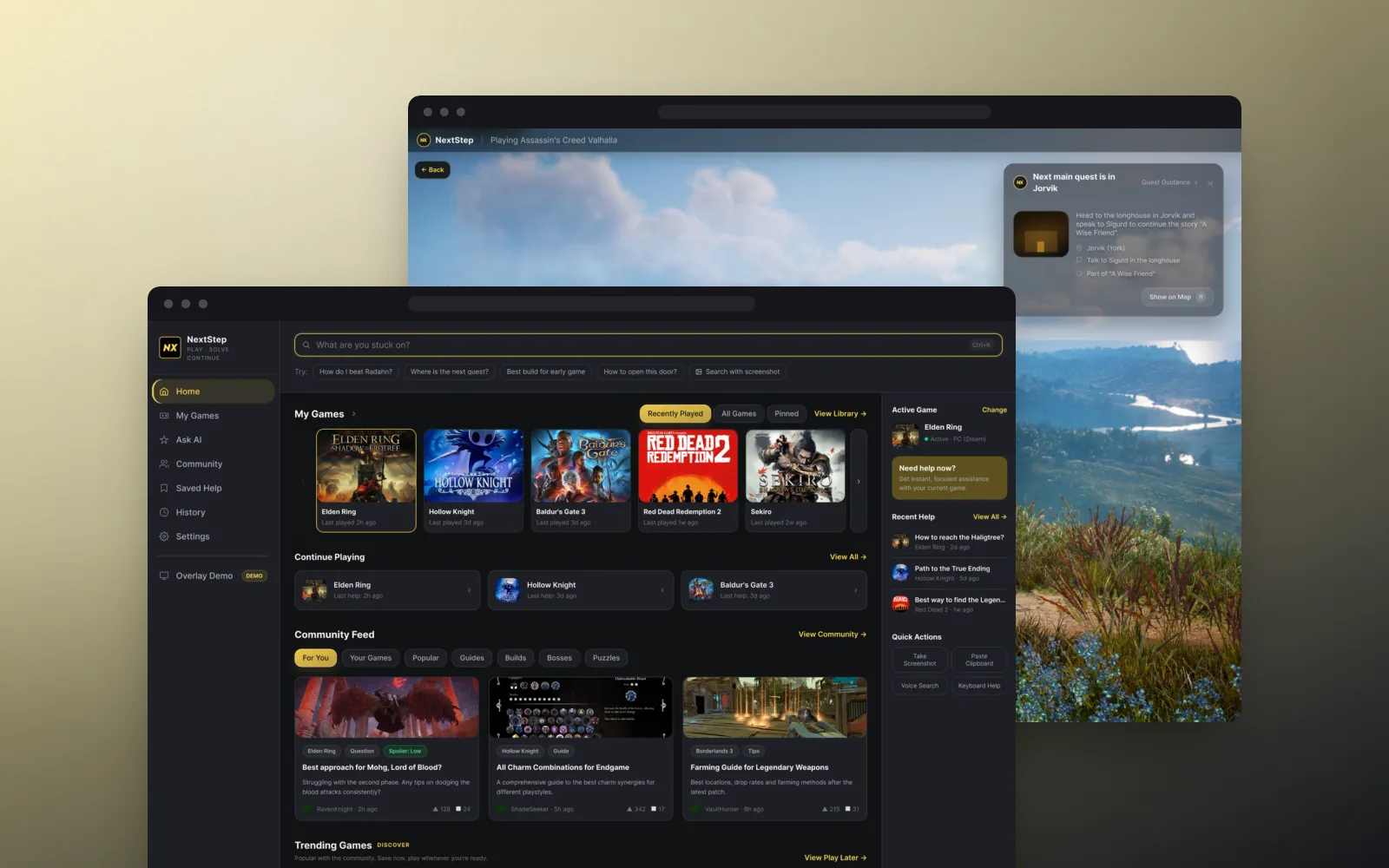
At a glance
Problem
Stuck players bounce between Google, YouTube, Reddit, Discord and AI tools, running into spoilers and losing their flow.
Solution
Describe the problem in your own words, pick your game, then choose how much help you get, from a small hint to the full solution.
My role
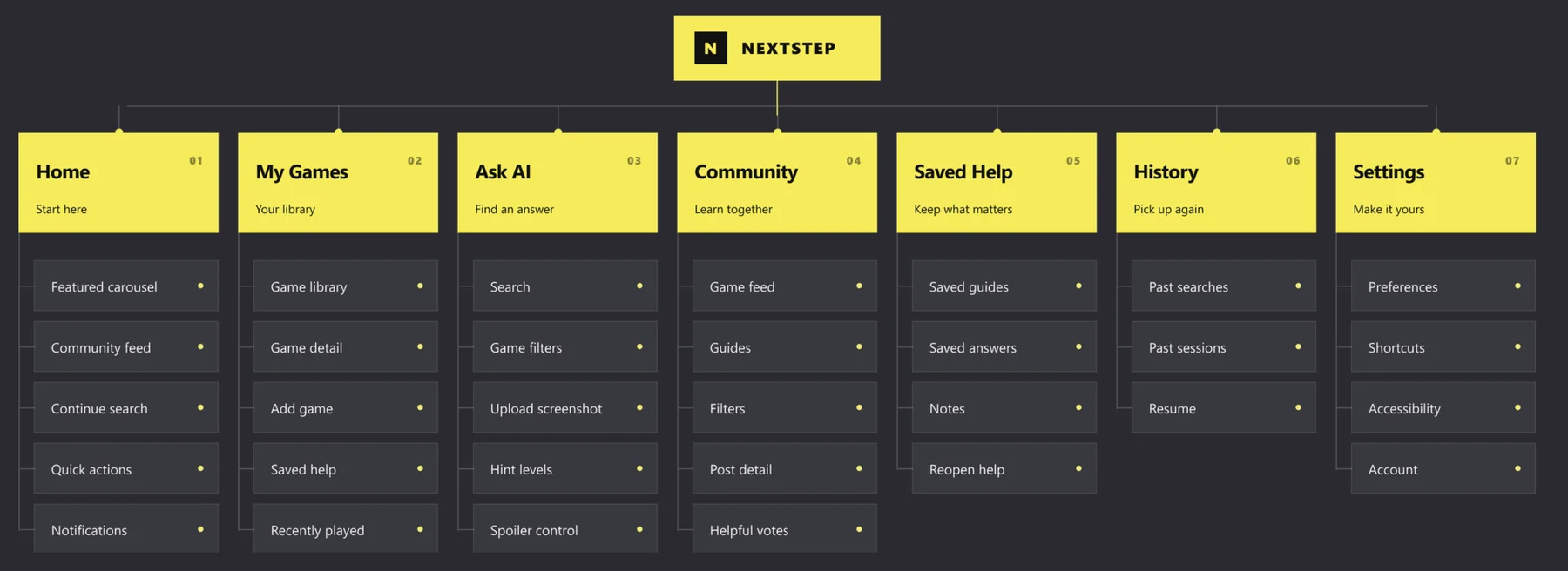
Solo project: research, service ecosystem, journeys, concepts, information architecture, visual design, prototype and service blueprint.
Outcome
A clickable Figma prototype covering four end-to-end journeys, plus a service blueprint of how it works behind the scenes.
Problem
The answer exists. Finding it is the hard part.
Modern games are full of puzzles, layered mechanics and hidden objectives. When players get stuck, the answer is usually out there. Finding the right piece, at the right level of detail and without spoilers, becomes a frustrating task of its own.
Every jump to a browser breaks immersion, and one YouTube search can fill your recommendations with spoilers for days.
8
PC players interviewed
6+
help platforms compared
4
player types, from hint-seekers to completionists
Insights
What the research showed
Not a lack of information
Players struggle to find the right information at the right moment, not information itself.
Everyone wants a different amount
Some want a tiny nudge, some the fastest answer, and some a full walkthrough.
Spoilers are part of the problem
Titles, thumbnails and long guides often reveal far more than the player wanted to know.
Key decisions
How the design answers it
- 01
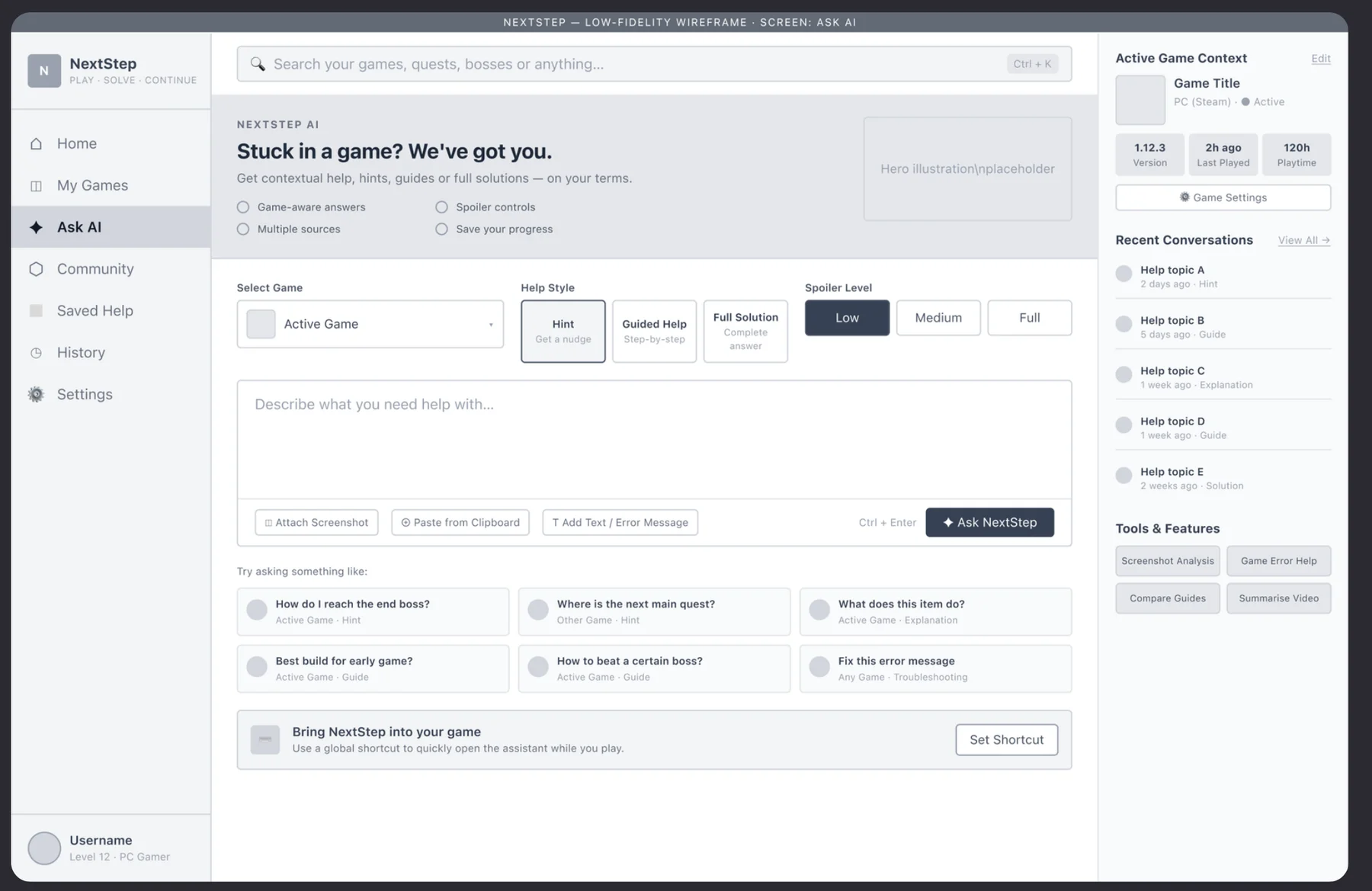
Search first, with help layered on
I explored search-first, assist-first and community-first concepts, then combined them: a search built around your current game, with assistance and community on top.
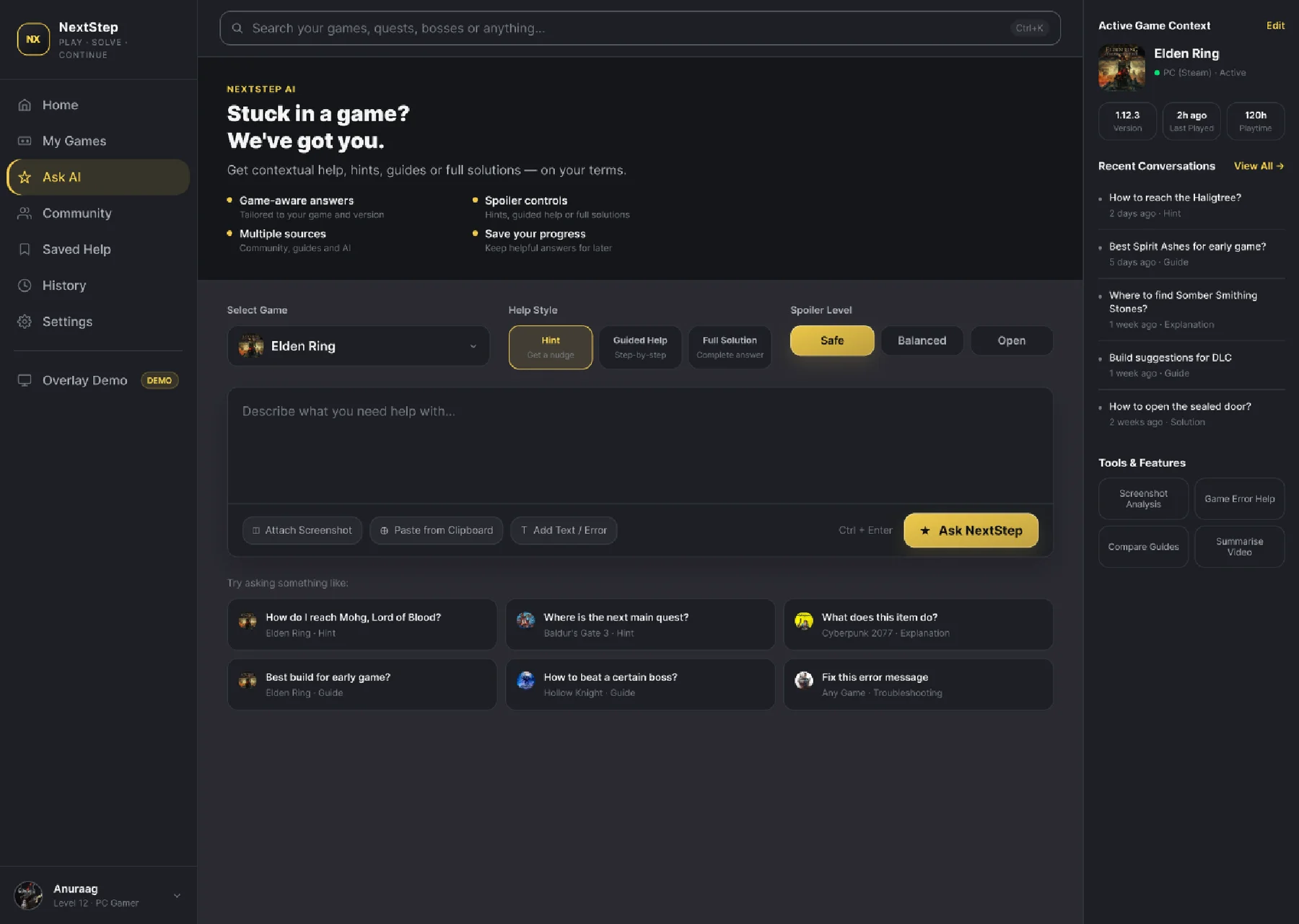
Ask AI: pick your game, help style and spoiler level, then describe the problem. - 02
Help you can dial up
You start with a hint, step up to a stronger hint or a guide, and only see the full solution if you ask for it.
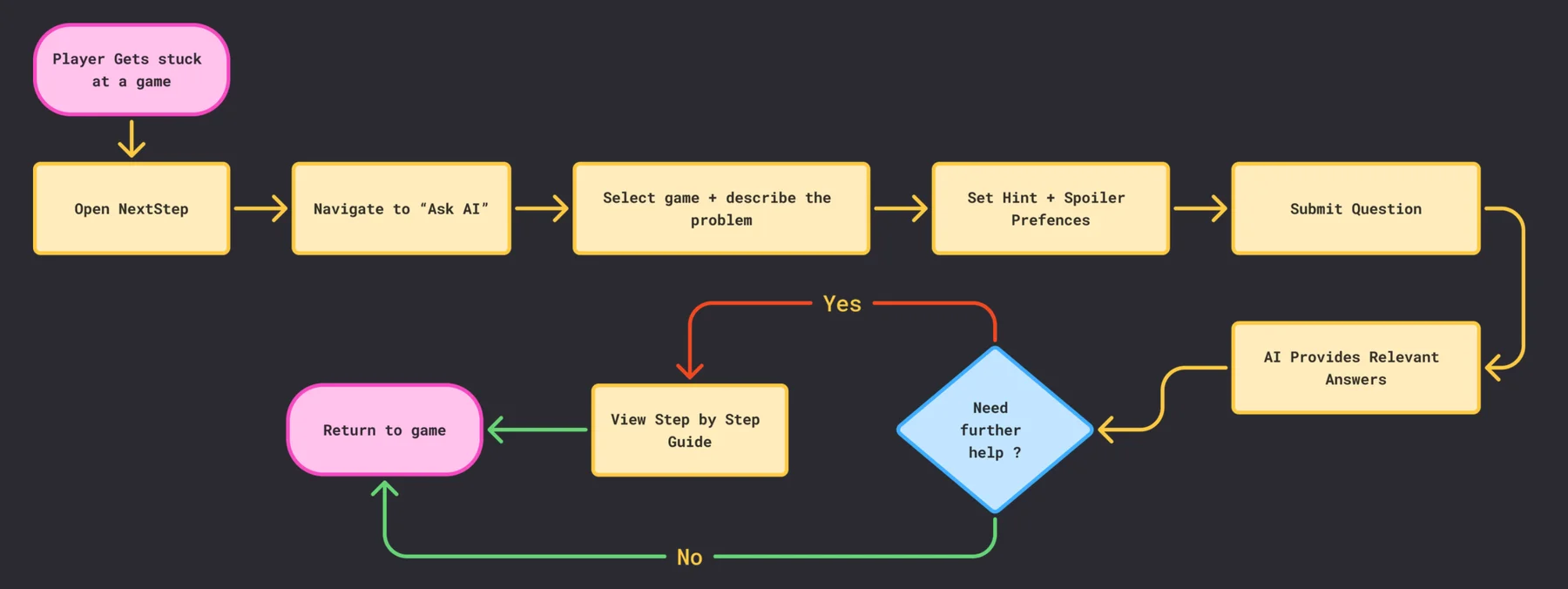
The core flow, with a loop back if you need more help. - 03
Stay in the game
An overlay brings help on top of the game, by voice or text, so players don't have to alt-tab out and lose their place.
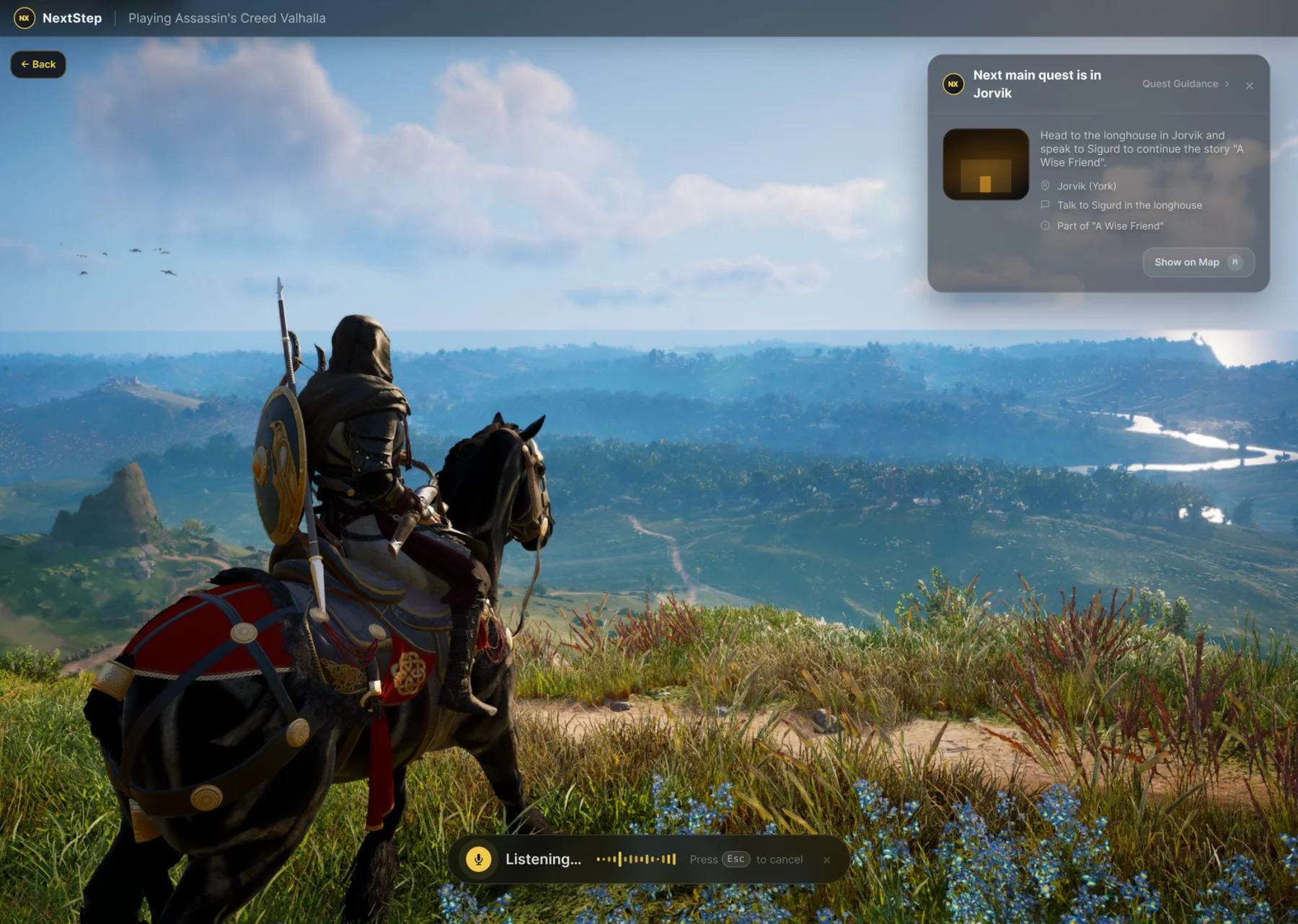
The in-game overlay. - 04
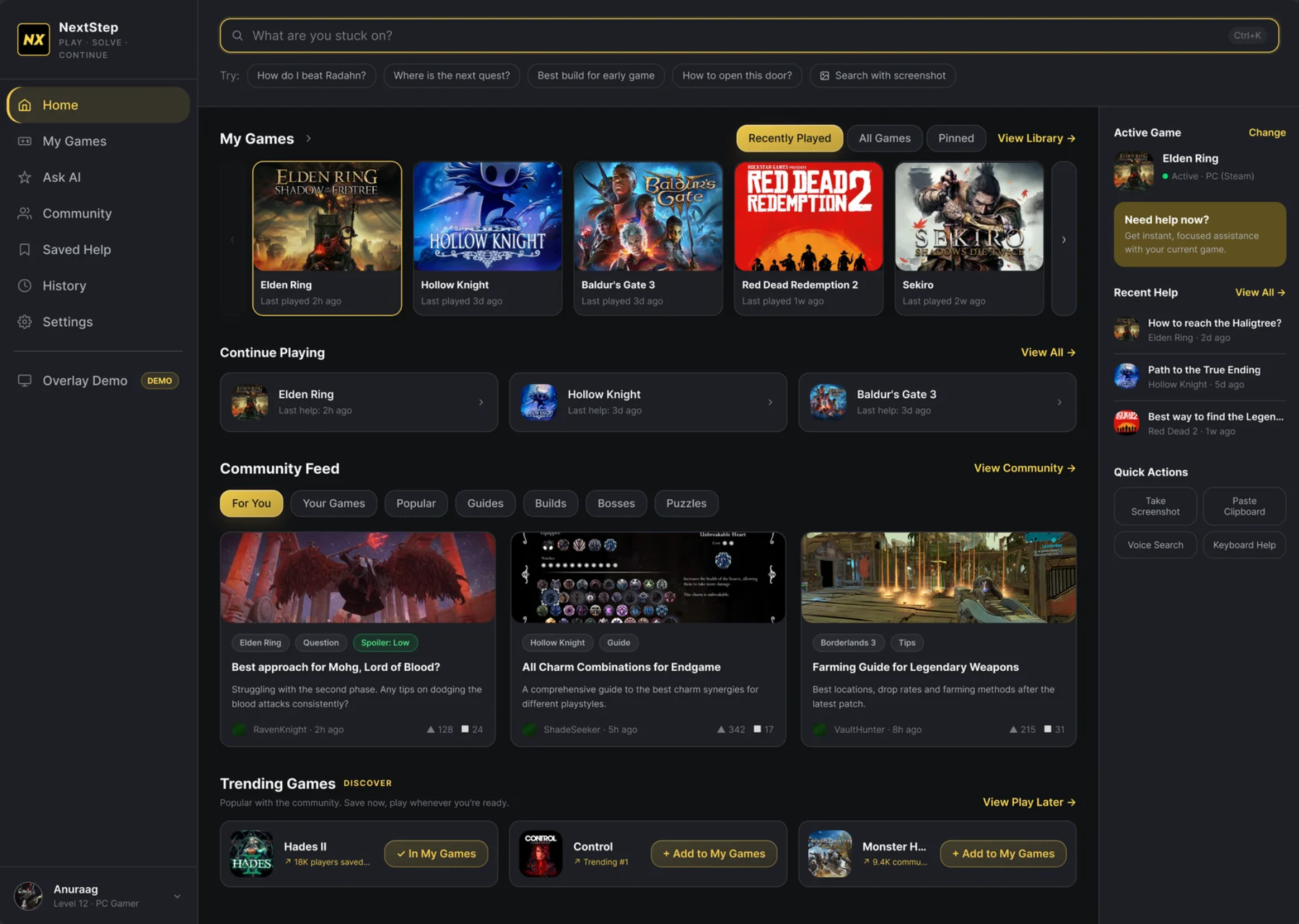
Community, organised by game
A game-centred feed of guides and tips, each with a spoiler label, and Saved Help to come back to anything useful.
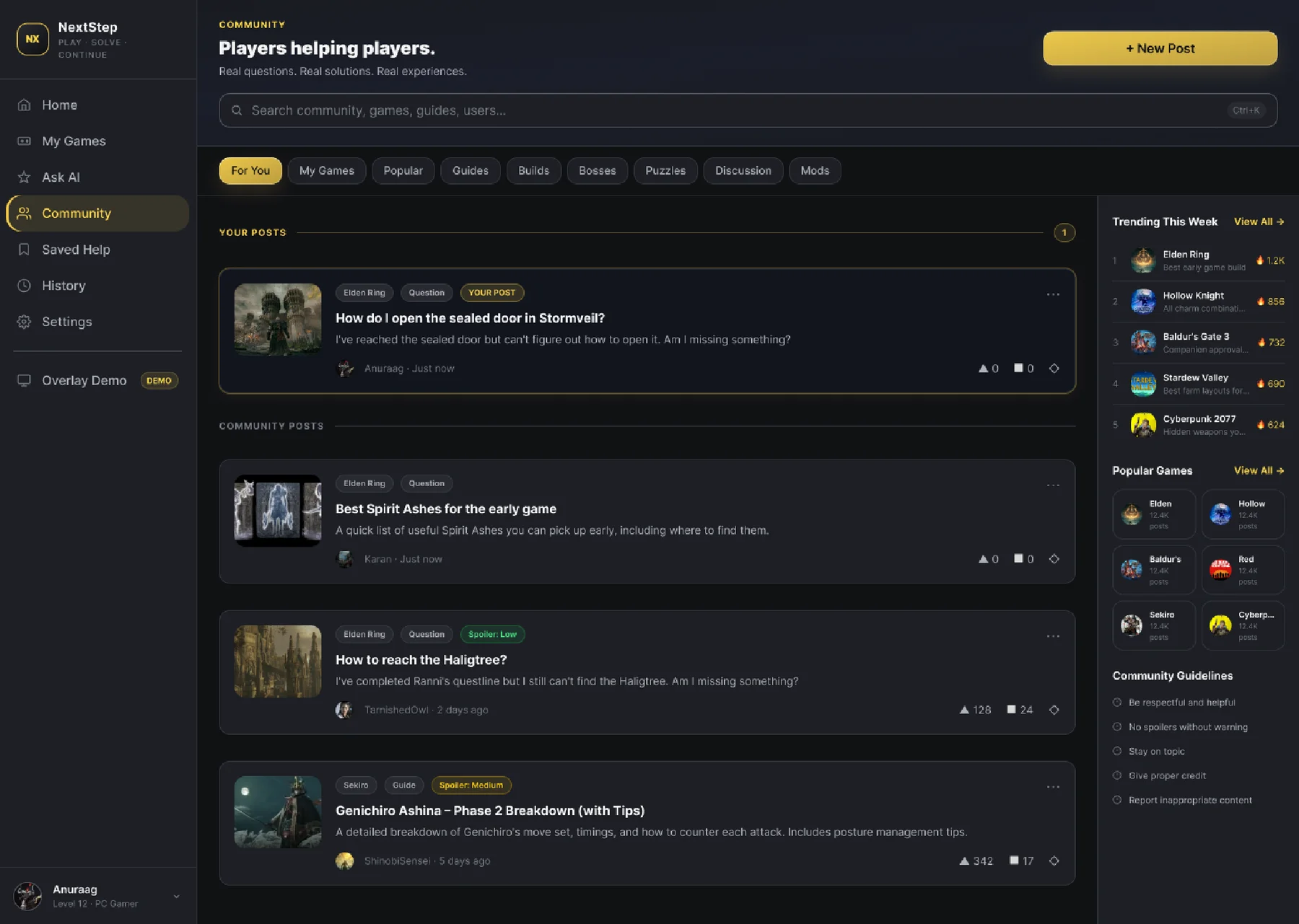
The community feed.
Final design
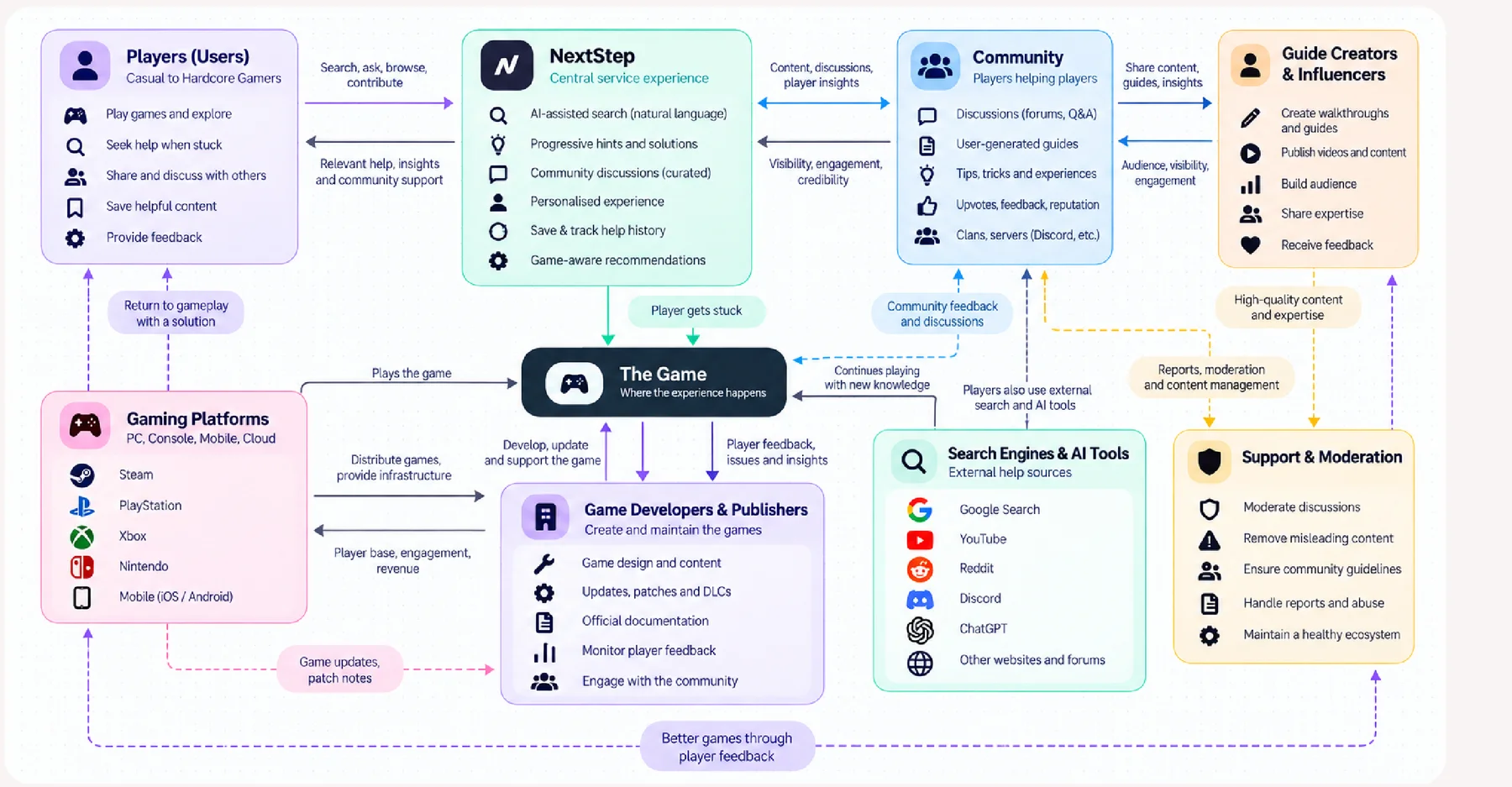
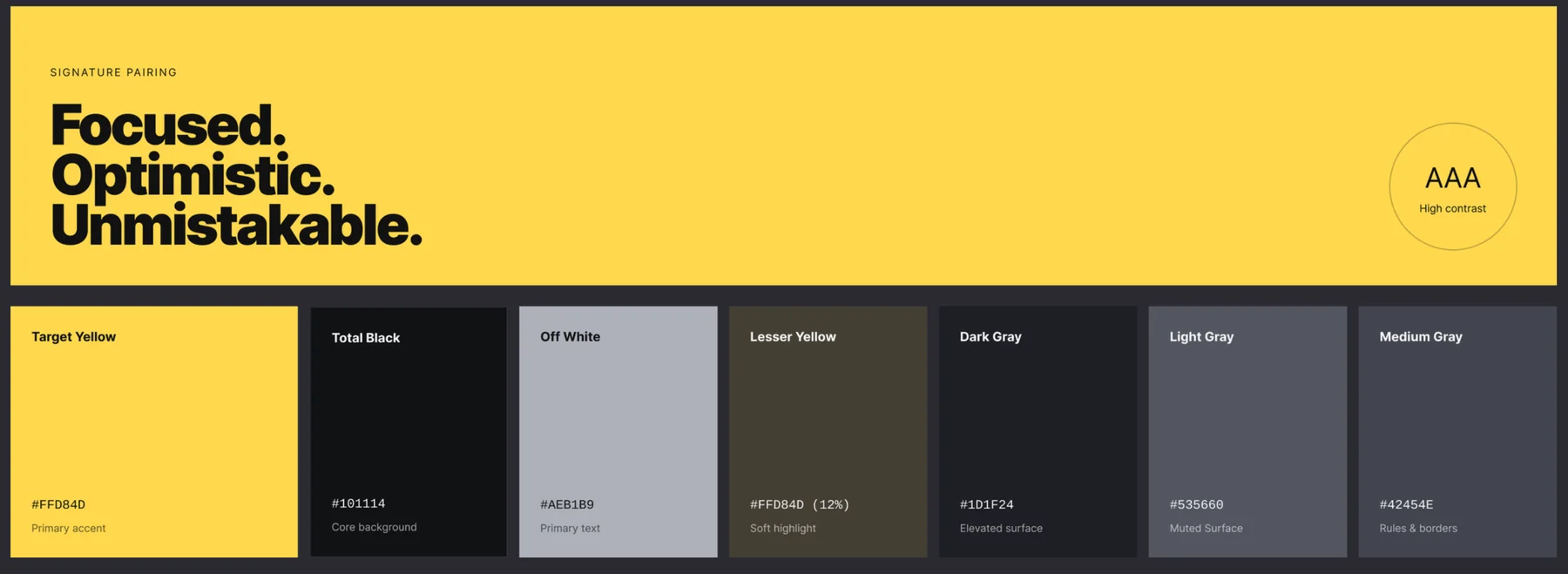
The screens
Outcome
Where it stands
- A clickable Figma prototype covering four journeys: asking the AI, getting community help, managing your game library and revisiting saved help.
- A service blueprint mapping what players see, what happens behind the scenes, and how it recovers when something breaks, such as flagging an AI answer as unverified when nothing else backs it up.
- Next: usability testing with PC players to check the help levels and spoiler controls in real use.